An AI agent made for embroidery
Say what you want. Get a file you can sew.
"Make it more stylish." "About 2 cm tall." "One continuous line, no trims." Embroid draws the design from your words and writes a file your home or commercial machine can sew as it is. No digitizing software to learn.
In field trials now. Beta planned for November.
Just a chat
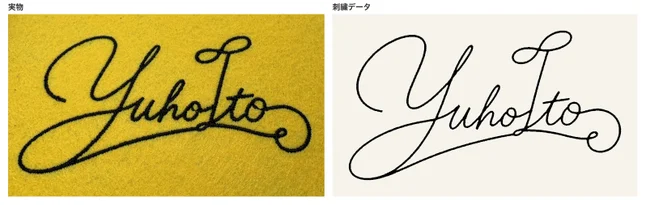
How a signature became an embroidery file during the trial.
- YouI want my signature embroidered. Make it more stylish.
- EmbroidHere is a loosened script. It sews as one continuous line, with no thread trims.
- YouAbout 9 cm wide, please.
- EmbroidExported at 91×50 mm, in PES, JEF, EXP, VP3 and DST.
You can draw it. Sewing it is the hard part.
To sew on an embroidery machine, a design has to become a file that says where, in what order and in which direction every needle drop goes.
- It takes software
- Digitizing software takes time to learn and is not cheap.
- It takes judgement
- Stitch types, density and stitch length all depend on the fabric and thread.
- Outsourcing is slow
- Each round trip with a digitizer takes days, so you rarely sew, fix and sew again.
Embroid takes on that judgement. You only say what kind of embroidery you want.
What Embroid does
- Made by conversation
- From your words to a design to a sewable file, in one place. Anything you don't like, you fix in words.
- 23 embroidery techniques
- Satin, tatami, cross stitch, French knots, chain, stippling and more, chosen by what each part of the design is: fluffy stippling for a cloud, rope-like stem stitch for a stalk.
- Designed to sew well
- It checks the number of trims, spots where needles crowd into one hole, and stitch lengths before it exports.
- Depth from thread
- By changing direction, density and stitch length, even one thread colour shows roundness, shadow and shine.
Works with the major machines
- BrotherPES
- JanomeJEF
- BerninaEXP
- Husqvarna · PfaffVP3
- CommercialDST
Stitched during the trial
Every file was made by conversation alone, sewn on a real machine, and fixed by telling the agent what went wrong. Left: stitched. Right: Embroid's file.
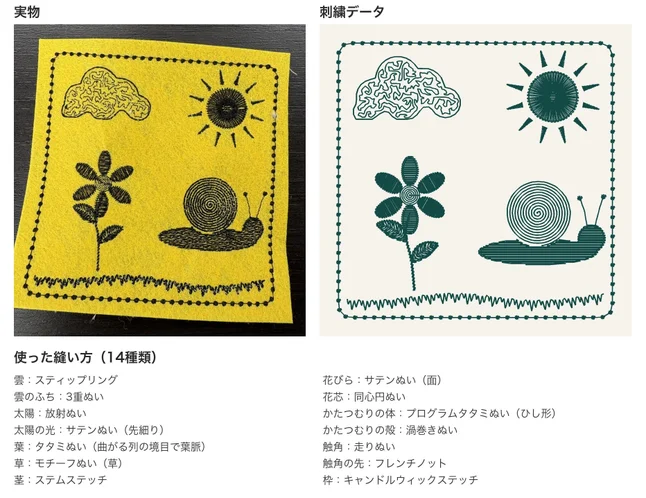
14 stitch types in one piece: radial stitch for the sun, stippling for the cloud, tatami leaves whose curving rows meet to form the vein.
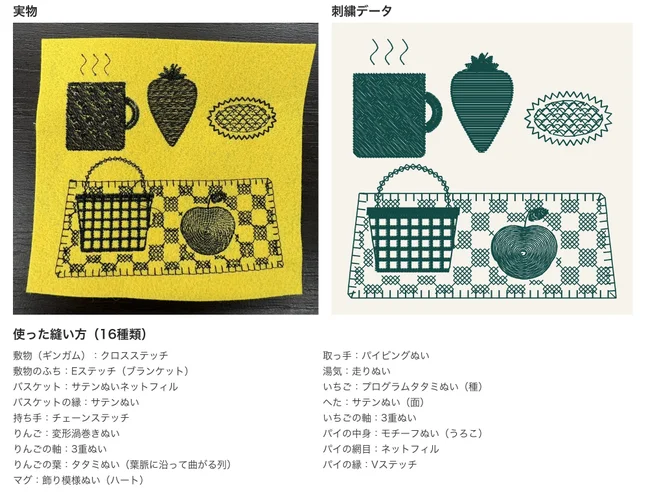
16 stitch types: cross stitch for the gingham rug, blanket stitch for its edge, a satin lattice for the basket.
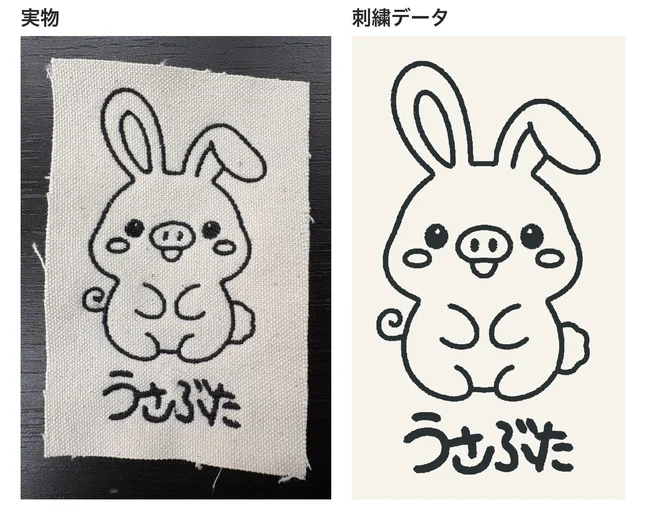
An AI-drawn line drawing made sewable: satin for the lines, tatami for the eyes.
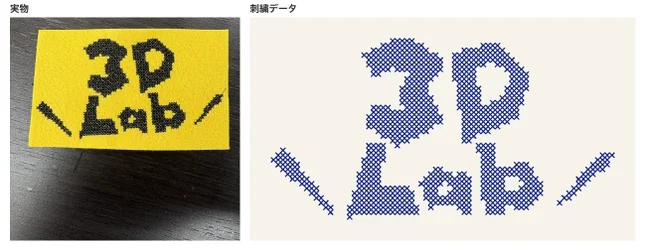
The "3D Lab" logo as hand-style cross stitch, sewn object by object so only the X shapes show on top.
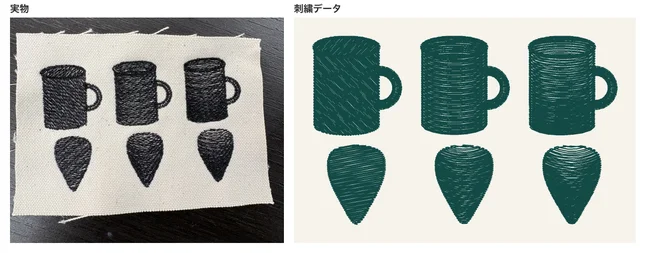
From left: flat, curved, curved with shadow and highlight. Roundness from thread direction and density alone.
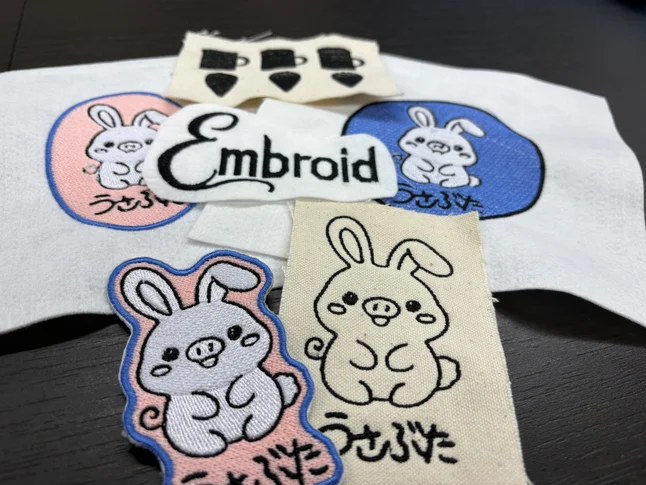
Feedback from a test sew stays for next time
Broken threads, thin fills, shading that didn't read. Each problem found in a test sew was told to the agent, which fixed the file and updated the knowledge it uses from then on.
- trims on the mug's surface
- 49→1
- trims across one whole sampler
- 55→21
- of 23 techniques used across two samplers
- 21
How it works
- 1
Say it
Describe what you want and how big. No drawing needed.
- 2
Get a file
Embroid draws the design, picks the stitches and exports the file.
- 3
Sew it
Test-sew it on your own machine as it is.
- 4
Fix it in words
Say "the gaps in the fill show" and the file is fixed, and the lesson is kept.
What's next
- Hands-on workshops where you make an embroidery file yourself.
- More techniques, machines and fabrics.
- A public beta, planned for November.
At 3D Lab in Yushima, Tokyo, you can chat with Embroid and sew your own design.
If you have something you want to make, you should be able to turn it straight into embroidery. We will spread that through workshops and more.
Developed by Walker Inc.